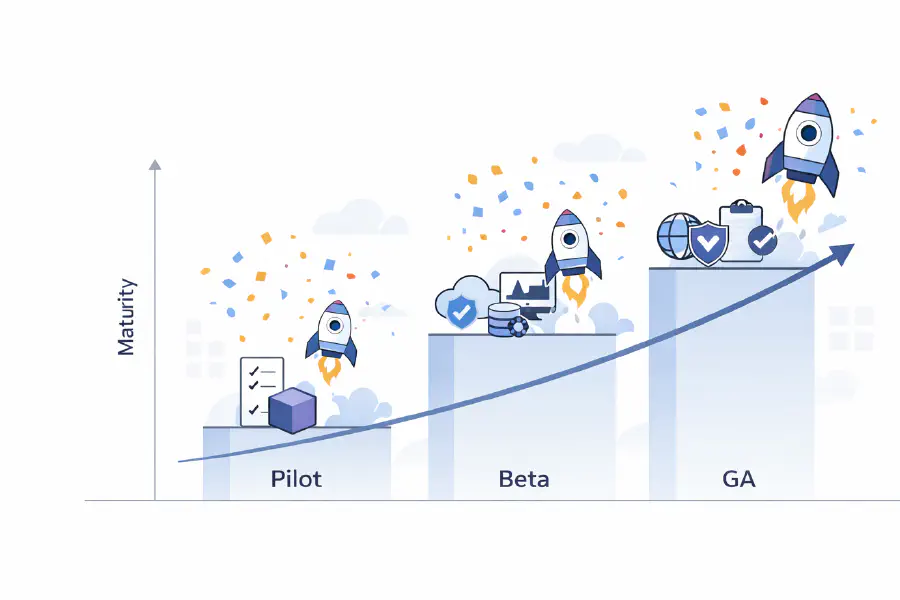
The Organization of the Future: Smaller Teams, Harder Constraints
The first post in this series argued that AI is moving engineering up the stack, away from implementation and toward systems, architecture, and governance. The second argued that this changes what engineers do: judgment replaces implementation as the primary constraint, and the best engineers become orchestrators rather than builders. The third question—the one boards and executive teams most need to answer—is what this means for how engineering organizations are designed. It’s not mainly a question of how many engineers to hire, or which AI tools to buy. It’s a structural question about how organizations produce, govern, and sustain software at all.

The Engineer of the Future: From Builder to Orchestrator
The previous post argued that AI is moving engineering up the stack, shifting effort from writing code to designing systems and governing software in production. That has implications for strategy and organizational design. But it also changes something more personal: what it actually means to do this job. If implementation is no longer the constraint, what is? My argument is judgment. And if judgment is the constraint, the engineer’s role has to change around that.
Engineering Is Moving Up the Stack
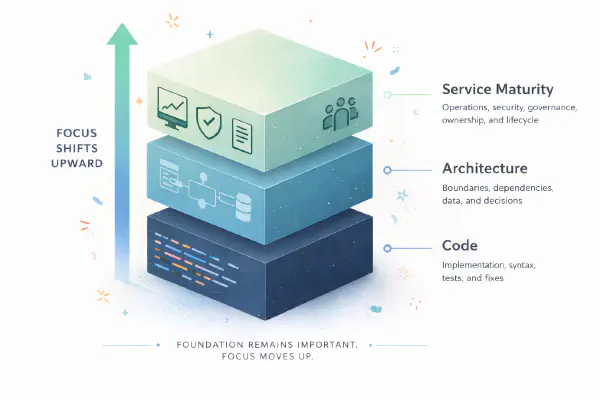
The debate about AI and software development is stuck on the wrong question. Most discussions ask whether AI writes good enough code, whether it matches human craftsmanship, whether it introduces bugs, whether developers can trust it. Reasonable questions. Increasingly beside the point. The shift that matters more isn’t about code quality. It’s about where engineering effort is required at all. AI is moving engineering up the stack, from writing code to designing systems to managing the lifecycle of software in production. The work doesn’t disappear. It shifts upward, toward broader and more structural concerns.

Terraform 'data source will be read during apply' messages - What is it and how to fix
Terraform users will likely be familiar with “data source will be read during apply” messages that may appear in the plan output. These messages can be confusing and may even lead to unexpected re-creation of resources. Typically, these messages are related to using data sources in combination with Terraform modules and explicit dependencies. Data sources and modules are two powerful and essential concepts. Data sources allow you to fetch information from existing resources and pass that data to other resources. Modules promote reusability and hiding complexity by encapsulating collections of resources into sharable, versioned packages. Explicit dependencies are also valid to use in various situations. But combining these concepts can lead to confusion and unexpected behavior.
Measure your golden signals with GKE Managed Prometheus and the nginx-ingress
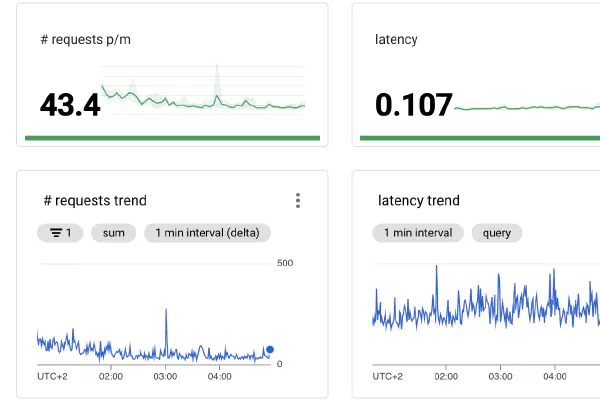
Getting started with setting up proper monitoring dashboards for your application and infrastructure can be challenging. Where to begin? My typical answer to such a question would be to start with the “Golden Signals”. This blog post will dive into the golden signals and share how you can get started with these signals in Google Cloud using Managed Prometheus and the nginx-ingress controller. The Golden Signals #The four golden signals - coined by the Google SRE book - can be considered a guide as to what at least to monitor for your applications. The golden signals are:

Shift left AWS tag enforcement with Terraform and tfsec
There are many ways to improve the developer experience of deploying infrastructure into the Cloud. One such method is by shifting left: provide early feedback to shorten the feedback loop and speed up development. When deploying infrastructure into AWS with an infrastructure as code tool such as Terraform, you can validate that code as part of a CI/CD pipeline. A pull request can automatically receive feedback about the configuration of resources, thus enforcing the environment to stay compliant with the organization’s policies.

Go crazy with GitHub Actions
GitHub Actions is a component of GitHub that allows you to create automated workflows. Through the many different events that can trigger workflows you are free to build whatever automation you want. While the most common use case is building CI/CD pipelines, the possibilities are pretty much endless. Check out this list of awesome actions to get some inspiration. Having spent quite a bit of time with GitHub Actions in the last few months I came across some features that aren’t very well documented. It’s therefore very well possible that not everyone is familiar with these capabilities. Let’s dive into five neat features that you can go crazy with.

A Serverless Payment Workflow using AWS Lambda and the AWS CDK
Serverless technology is getting more popular by the day. More and more people are starting to experiment with it and learn for which use cases it can add value. In this blog post I share an example of what a fully Serverless workflow can achieve. For a while now I’ve been curious how one would implement a payment workflow on a website. I was aware that platforms like Stripe, Adyen and Mollie exist, but I never knew how much work would be required to set up a fully functioning workflow. I therefore decided to give it a try using nothing but Serverless technology.

Nuances around centralized platform teams
The popularity of centralized platform teams is rising. The latest Puppet State of DevOps Report shows that 63% of the respondents have at least one internal platform. Platforms are vital enablers for a more DevOps way of working as they provide self-service capabilities that development teams can autonomously utilize. The definition of a “platform” isn’t set in stone though. Many organizations still struggle to put together a platform team that is really able to add value to the development teams. It’s a challenge to build a team with the proper mindset and an organization that supports that team in the right way. The biggest challenges aren’t technical: it’s the organizational and cultural challenges that must be tackled to ensure such a team’s effectiveness.
Using Amazon Cognito JWTs to authenticate with an Amazon HTTP API
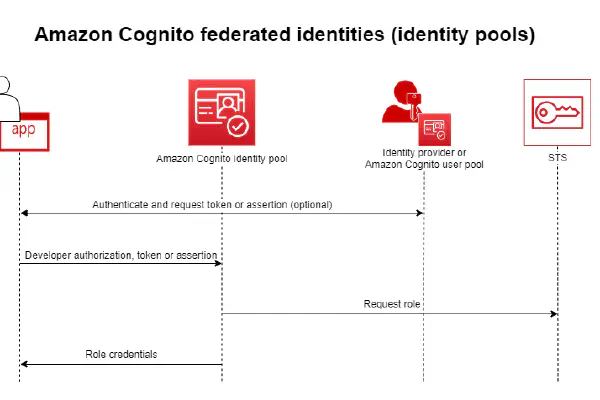
Last year AWS released a new iteration of their API Gateway product: HTTP APIs. This new version promises lower prices, improved performance and some new features. Some features that are available in the older REST API are not (yet) available for HTTP APIs, though. The official comparison page gives a good overview of which features are available in both products. My favorite new feature available for HTTPs APIs is JWT Authorizers. It is now possible to have the HTTP API validate a JWT coming from an OIDC or OAuth 2.0 provider. While this was already possible using a Lambda Authorizer, now this can be achieved in a fully managed way with only a minimum amount of work required. It’s even easier now to build secure APIs with proper authentication.

From toil to self-service: automate what matters
There are a few reasons that I love my job. One of the most important ones is the variety of work. As a cloud/platform engineer, every day is different. Work goes from writing automation in some programming language, setting up a dashboard in a monitoring/logging tool, hardening Linux machines, writing Infrastructure as Code, building (standardized) CI/CD pipelines, giving workshops, analyzing costs, and more. This wide variety of work wouldn’t be possible without automation. You have more time to spend on all these things when manual, repetitive work is automated. SRE defines toil as follows:
Deploy your pull requests with GitHub Actions and GitHub Deployments
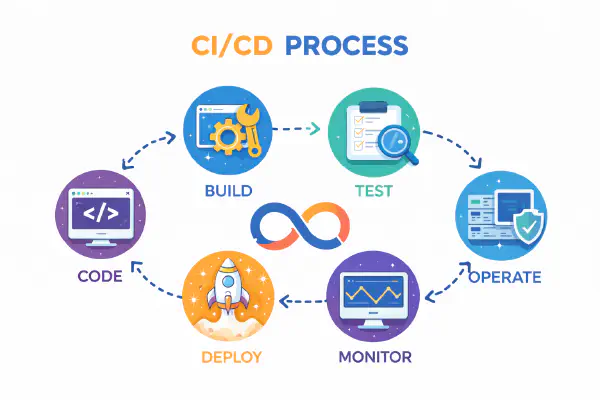
Performing (automated) tests on pull requests is a powerful mechanism to reduce the feedback loop on code changes. Known as shift left, the idea is that the earlier you find an issue with your code, the easier it is to fix it. For one, as you wrote the code recently it’s easier to get back into it. And of course, any code issue that doesn’t hit production is another potential issue for your end-users prevented.

Why it's great to write blog posts
I’ve been blogging for close to four years now. I started blogging because I wanted to pick up a new skill (writing) and challenge myself to do something new. Because I blog about what is both my work and hobby - software development and more specifically, cloud/platform engineering - it’s relatively simple to come up with new subjects and I also grow my knowledge as I write these posts. In fact: I believe that writing blog posts can be super valuable for pretty much everyone. Of course you will potentially help, inform or inspire others with your content. But you definitely also benefit personally from writing blog posts in many different ways.
Running self-hosted GitHub Actions runners in your Kubernetes cluster
Last year November GitHub released GitHub Actions, a CI/CD solution build on top of GitHub’s Source Code Management. GitHub Actions is very convenient to use when your source code is already stored in GitHub as no additional tool is required for your CI/CD requirements. This blog is for example updated through a GitHub Actions workflow whenever I push an update to my GitHub repository (like I just did with this post). Earlier this year GitHub released support for self-hosted runners. These runners run in your own infrastructure which has several advantages. Especially useful is the fact that these runners can access any private resources in your infrastructure such as staging environments for automated testing or secret/artifact management solutions not exposed publicly.

Building a static serverless website using S3 and CloudFront
Hosting static websites is great. As they only contain static assets to be downloaded by the visitor’s browser - think HTML, CSS, Javascript, Fonts, images - no server-side code such as Java or PHP needs to be run. They’re therefore typically faster to load than dynamic websites, they have a smaller attack surface, and are easier to cache for even better performance. That is why some time ago I moved this blog from a Wordpress installation hosted on EC2 to a static website. As I was already in AWS, and I knew that S3 + CloudFront was a popular choice for hosting static websites, I decided to host my blog in S3 with CloudFront in front of it as the CDN.